
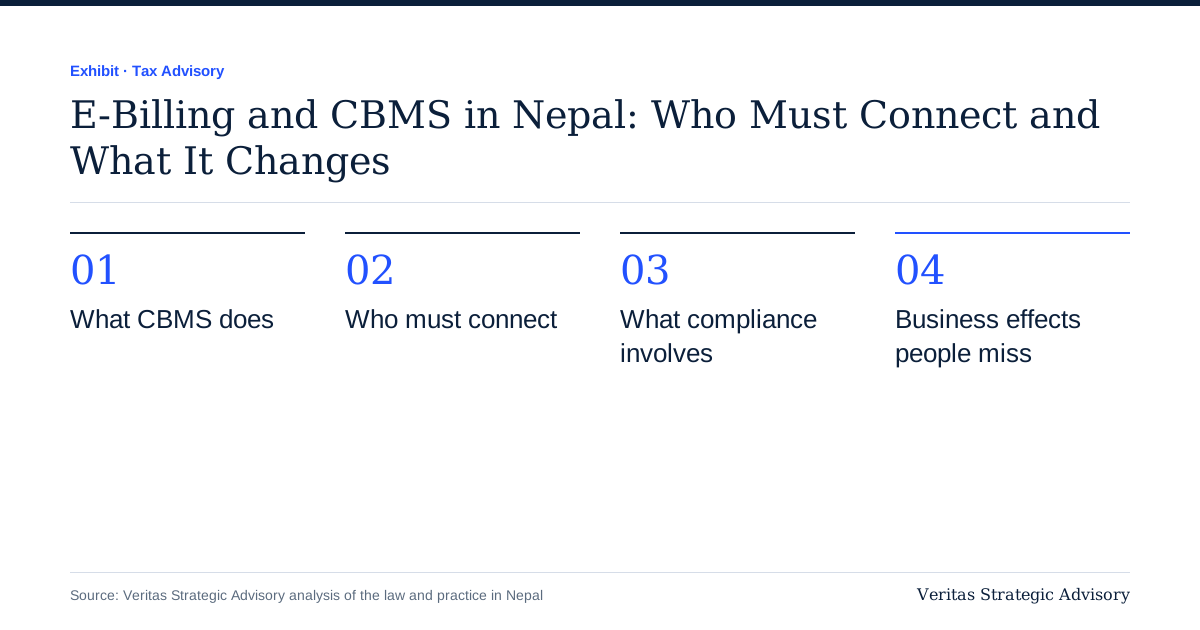
- central system for invoices
- 1
- rollout by turnover and sector
- phased
- VAT on invoices that must tie to returns
- 13%
What CBMS does
Your billing software issues the invoice and sends its data to the IRD in near real time. The IRD can then compare invoices with your VAT return, your input claims and your suppliers' filings. Fake and altered bills become harder, and mismatches show up faster.
Who must connect
The rule is built from two tests:
Sector. Some businesses, including hotels, construction, and producers of cigarettes and alcohol, were named in IRD notices.
Turnover. A threshold applies to others, and recent reports describe it being reduced in steps, for example to NPR 200 million. The figure is secondary-sourced, so check the IRD's latest notice.
The IRD's stated aim is to bring all businesses in over time. Plan on that basis.
What compliance involves
Use approved software that is listed by the IRD for e-billing.
Register the software and your business with the IRD and get the connection credentials.
Issue every invoice, credit note and debit note through the system, in the prescribed format.
Keep sequence and numbering control; cancelling or altering bills is restricted.
Reconcile monthly: billing data, ledger and VAT return should agree.
Penalties can apply for not connecting or not transmitting, under the VAT and Income Tax Acts. Confirm the exact amounts in the Acts and notices.
Business effects people miss
Credit notes and returns need the system, so process discipline matters.
Cash sales and POS need the same treatment as invoiced sales.
Input VAT claims are checked against supplier filings, so an unregistered or non-compliant supplier is a risk; see VAT input credit and the Supreme Court.
Software costs and migration mean old data must be moved properly.
Where we help
We assess whether you are covered, choose or review software, set up the reconciliation between billing and ledger, and fix the issues that show up. See VAT and tax filing, VAT return filing and process automation.
A worked example: a restaurant group connects to CBMS
A restaurant group with four outlets has NPR 25 crore of annual turnover, uses point-of-sale software at each outlet and files a consolidated VAT return from a head office. Illustrative.
Assessment. The group checks whether its sector or turnover brings it within the mandate. It reads the IRD's latest notice and confirms that hotels, restaurants and similar businesses are in scope or will be.
Software. The POS vendor says its product can connect, but the group asks for the IRD approval reference, a demonstration of invoice transmission and the process for credit notes. It finds that two outlets use an older version and need an upgrade.
Registration. The group registers each outlet's billing software with the IRD and receives credentials. Each outlet's invoice series is registered.
Training. Staff learn that a cancelled invoice requires a credit note, not a deleted record, and that discounts must be recorded in the system. A manager is named for each outlet.
Go-live. The group runs the system in parallel for a week, comparing the POS totals with the data shown on the IRD side, and fixes mismatches caused by manual bills.
Reconciliation. Each month, the head office reconciles the POS reports, the ledger and the VAT return. Differences go to a log with explanations.
Result. The VAT return matches the invoice data. A query from the tax office on one month's sales is answered in a day with the reconciliation.
The project was successful because it started before the deadline and treated billing as a finance process, not a software purchase.
Choosing billing software
Whether you are required to connect now or not, a sensible selection checks the following.
IRD approval or compatibility, with evidence of the approval and the version approved.
Invoice rules: sequential numbering, VAT-inclusive and exclusive handling, discounts, credit and debit notes, and the formats the IRD requires.
Offline resilience: what happens when the internet drops, and how data is sent later.
Integration with your accounting system, so sales post automatically.
Reports: daily sales, VAT summaries, cancelled invoices and audit trails.
Access control: who can issue, cancel or edit documents.
Support and updates: the vendor's track record in Nepal and its response times.
Data ownership and export: you must be able to get your data out.
Cost, including licence, hardware, training and upgrades.
Ask for references from similar businesses and test the system with a sample day of transactions.
Controls that e-billing makes more important
Connected billing exposes weak processes. Strengthen these.
Cash handling. If a sale is not in the system, the IRD will not see it, but the stock and the bank will. Count stock and compare with sales regularly.
Returns and cancellations. Require approval and a reason, and review the log.
Discounts. Record them in the invoice so the VAT base is correct.
Manual bills. Limit them to defined emergencies with a clear process for entering them later.
User access. Remove accounts of staff who leave.
Time stamps and dates. Keep systems on the correct date; wrong dates cause rejected invoices.
Backups. Keep a copy of data off the machine.
Effects on suppliers and customers
A supplier that issues compliant invoices makes your input VAT claims safer. A supplier that does not can create problems for you, because the IRD may deny credit on invoices that do not match its data. Ask suppliers whether they are connected and keep their invoice details in your system. For customers, e-billing means that invoices are traceable, which many large buyers now require. A supplier that cannot issue compliant invoices may lose business. See VAT input credit and VAT return filing.
Questions people ask
Does CBMS apply to small shops? The mandate has been phased by turnover and sector, with lower thresholds over time. A small shop may not be covered yet, but check the current notice and plan for it.
Can I use free or home-made software? Only software that meets the IRD's requirements can be used where connection is mandatory. Check approval before you buy or build.
What if the system is down? Follow the vendor's and IRD's offline procedure, keep a manual log and enter the transactions as soon as the system returns.
Is a delivery note enough? No. An invoice must follow the rules; delivery documents have a separate purpose.
What are the penalties? The Acts provide for fines and other consequences for failing to connect, not issuing invoices or tampering with data. Confirm the current amounts in the law.
We assess your position, help you choose and set up software, and build the monthly reconciliation. See VAT and tax filing and process automation. Thresholds and procedures change, so confirm them on the IRD's notices.
A project plan for connecting, week by week
For a business that expects to be covered in the coming year, a sensible plan runs over about ten weeks.
Weeks 1-2: Scoping. Check the IRD's notices for your sector and turnover. List every place where you issue invoices: head office, branches, POS terminals, online store and any manual books. Decide who owns the project.
Weeks 2-3: Software decision. Shortlist approved or compatible vendors. Ask for demonstrations using your own transactions. Get written quotes covering licences, hardware, training and support.
Weeks 3-4: Data preparation. Clean the customer and item master. Decide the invoice series, taxes, discount rules and units. Prepare opening balances if the software also keeps accounts.
Weeks 4-6: Installation and testing. Install in one location first. Test normal sales, returns, discounts, credit notes, cash and credit customers, and offline operation. Compare results with your manual calculations.
Weeks 6-7: Training. Train cashiers, accountants and managers. Prepare a one-page procedure for each task, including what to do when the system is unavailable.
Weeks 7-8: Registration and parallel run. Register with the IRD as required. Run the new system alongside the old one for a week and reconcile every day.
Weeks 8-9: Go-live and monitoring. Switch over, with the vendor on call. Review the exceptions daily.
Week 10: Review. Reconcile the first full month to the ledger and the VAT return. Update procedures with what you learned.
Costs and benefits
The direct costs are software, hardware such as printers and scanners, connectivity, training and the time of your team. Indirect costs include the time to clean up data and, in some businesses, the loss of the informality that allowed sales to go unrecorded.
The benefits are real. Invoices are generated faster and with fewer errors. The VAT return is built from reliable data. Stock and sales reports improve, which helps buying decisions. Disputes with the tax office are easier to resolve because the evidence is already there. Customers who need valid invoices, such as businesses and institutions, can be served with confidence. And a business that has connected is ready for the next stage of the IRD's plan, rather than rushing when its threshold arrives.
What to do with old invoices and manual books
Keep the manual invoice books you have used in the past. If you must use manual invoices in an emergency, follow the IRD's rule on when and how, and enter them into the system afterwards. Never reuse numbers or leave gaps without an explanation. When you move to e-billing, close the manual series with a note and keep a record of the last number used. During assessments, the IRD may ask for both manual and electronic records for the transition period.